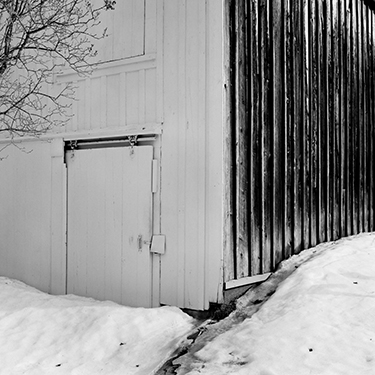
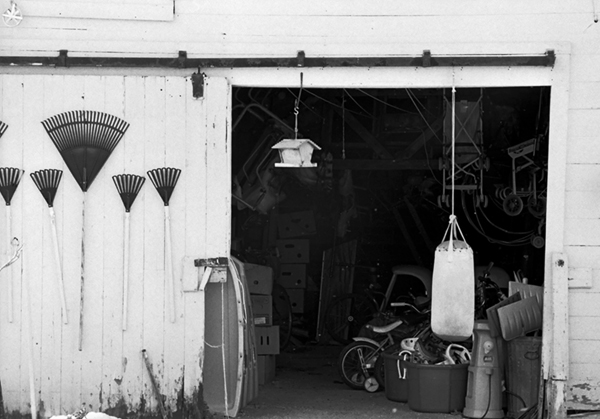
Finally part 2! Here are some sample images made on my M7 Leica and my Rollei 2.8 (F – 1960) using Fuji Acros at an EI of 160.
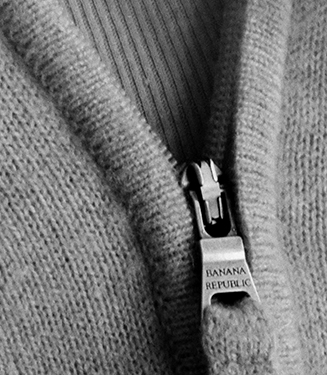
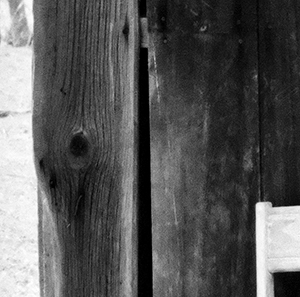
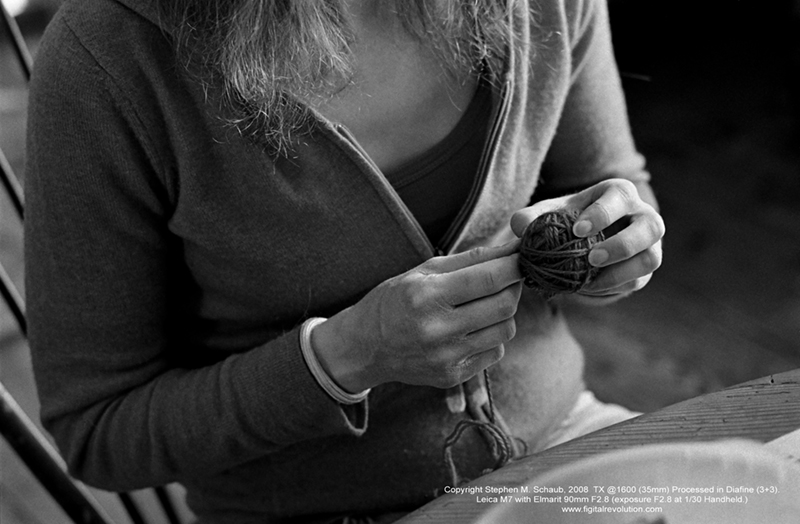
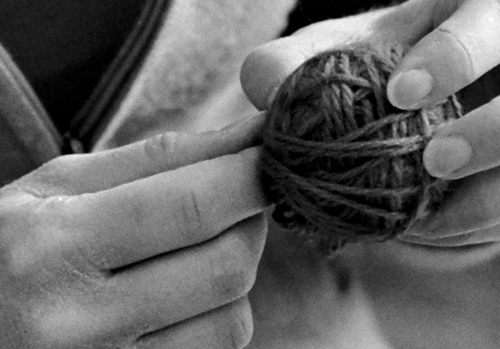
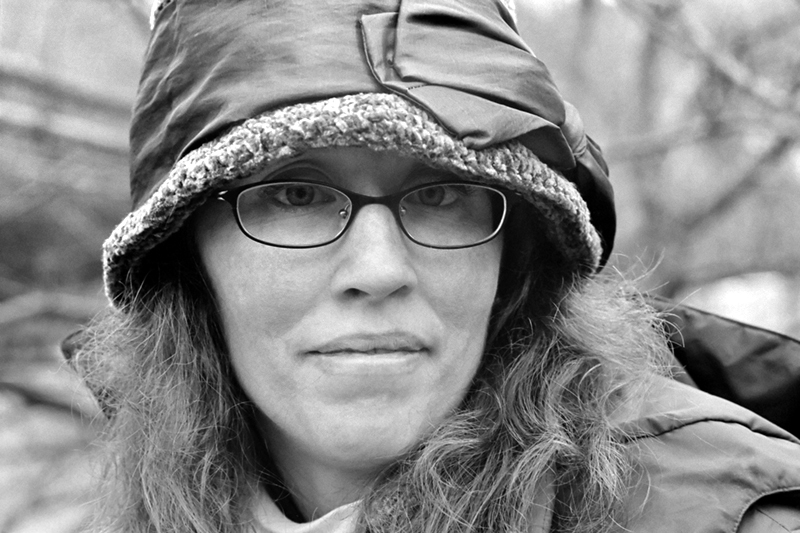
The two square images of course were shot with the Rollei (120mm) and the hand and zipper image was made with my Leica M7. Full size the Rollei images are 18″ x 18″ (142MB, 16 Bit, Grayscale, 120mm Negative, 3200 dpi scan) and the hand and zipper image is 16″x 24″ (160MB, 16 Bit, Grayscale, 35mm Negative, 6300 dpi scan). The detail crop of the zipper represents approx a 3″x4″ section of the larger 16″x24″ print…amazing!
Here is how I processed it…
Fuji Acros 100…EI 160
Diafine Developer at 68-72 F
Part A 4.5 minutes (two inversions every minute…gentle.)
Part B 4.5 minutes (two inversions every minute…gentle.)
Water Stop 1 minute Fill and Dump (68-72 F)
Fix Kodak Rapid (5 minutes)
Wash 1 minute running water (68-72 F)
Perma Wash 1 minute constant agitation
Wash 5 minutes (65-75 F)
LFN
Dry
For more information on the process and testing conducted please listen to the audioblog link below….
TIP– When your developer starts to get dirty…say after 30 plus rolls just run it through a coffee filter to “clean” it…use a different filter of course for each solution.
That’s right…since the dynamic launch of the new Figital Revolution web site back in December of 2007 till NOW (April 8, 2008) we’ve had over 20,000 hits! Stay tuned for our next post tomorrow!!!
This is a test in progress post but I feel really good (and excited) about my results so far and wanted to share…
Here is a difficult test image (huge dynamic range) shot with 35mm Acros 100 (Diafine EI 200) with my Leica M7 and a 50mm F1.4 Sumilux at F8.
The processing is very different than suggested on the box or in previous posts- I will be posting the developing “how to” after this weekend as I want to run just one more test. The full size image which was scanned at Indian Hill Imageworks on our Imacon at 6300 dpi, fluid mount, 16 Bit is 24.5″ x 16.2″ (optical resolution). The crop image is a 2.5″ x 2.5″ section of this larger file…do you see the bent nail?! The large file link at the bottom will download a scaled down version (Approx 10″ x 6″ @ 360, 8 Bit) so say around 8MB uncompressed (best for high speed users only) will give you an idea of what is possible with the incredible combo…the full file (98MB) is amazing.
OK, this is a quickie. I’ve been running some tests here at Indian Hill Imageworks to determine if using contrast filters such as:
Light Yellow 021
Light Red 090
Yellow Green 060
would cause a problem with this awesome film/ developer combo. Answer: NO. I personally like no filter or a ND if I’m shooting in bright light (remember TX in Diafine has an EI of 1250 to 1600 so unless you like F22 at 1/1000th its ND (Neutral Density) or Contrast Filter time!) I love the full gray tones of this film/ developer combo and find the “straight neg” is the easiest to scan and get every bit of tonality.
NOTE: On the Light Red 090 just be very careful with your shadow placement.
NOTE 2: ONLY use good filters…I like B+W and Heliopan…Yes they are expensive but worth it! Here is great resource for an explanation of Filter Flare and other optical stuff!
What, you say?! No sample pictures with this article (horrors)!!???…Go make them yourself you lazy bum, I’m tired! (A joke, of course- I’m never tired!)
My final article in this series on printing and hand coating your own inkjet papers will be out very soon…stay tuned!
The last (I promise) rebuttal to the ongoing discussion on “does your camera matter”? For a bit of background on this post please click on this LINK to read my first post which was earlier this month.
As promised here is the next installment in the ongoing exploration of Diafine Developer and TX. In these videos hybrid artist and master printer Stephen Schaub (The Leader) discusses scanning techniques, color management considerations and Photoshop techniques to maximize your Diafine processed TX negatives!! (Please note that due to a time limitation on Youtube the video has been broken into two parts so be sure to watch BOTH videos!!)
Video ONE
Video TWO
Stay tuned for part 3 of the Diafine and TX saga early next week on the Figital Revolution!
If you’re like me you’re always on the lookout for a great black and white film/ developer combo for scanning. I’ve tried many different films and developers and then recently stumbled upon the great marriage of Diafine and TX (Kodak Tri-x)…my new standard. Watch the videos below to learn more about this dynamic combination and for tips on proper processing techniques as well as a few quick tips on scanning black and white negatives. Be sure to also check out my sample pictures under the videos to see just how good it is. (Click on the images for a larger view.)
Video:
Please note that due to YouTube 10 minute video limit I had to break this 12 minute discussion into two parts. (Be sure to watch both videos!)
Video 1
Video 2
Example Pictures:
This image illustrates the huge dynamic range possible with TX and Diafine. In this example TX was rated at 1600, 35mm. (Check out that shadow detail!)
This example is TX at 1600 in low flat lighting…the full print size is 16″x24″ and the crop is a 4″x6″ section out of the full image area. Film size: 35mm
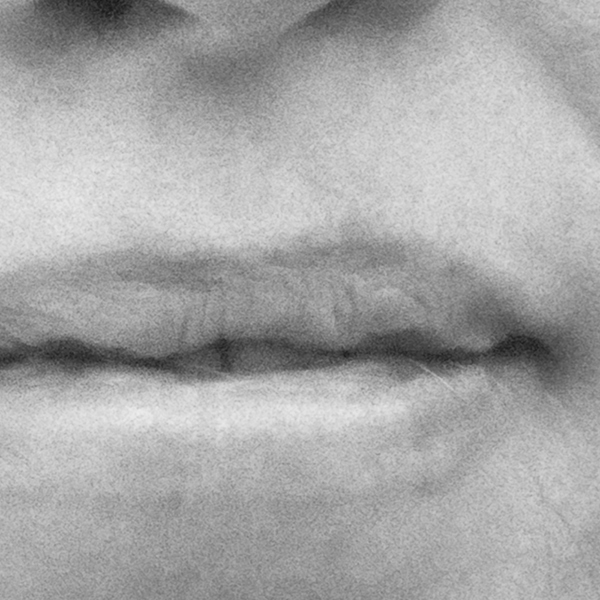
This example and the close up represent TX at 1600. The final image size (print) is 16″x24″ and the crop represents a 3″x3″ area of the final image at full size. Remember…this is TX at 1600 in 35mm!!
Processing Information for Tested Films:
Fuji Acros 100 EI 200 70-75 5+5 (Best choice for really big enlargements and where an EI of 200 is ok.)
FP4 EI 200-250 70-75 3+3 (Very nice but I prefer PMK for FP4).
TMY-2 EI 500-640 70-75 3+3 (Very nice combo but I’d stick with Xtol or D76 1:1…see my review of this film here on the Figital Revolution.)
TX EI 1250-1600 70-75 3+3 (My personal favorite and my new everyday film. I also keep an ND filter with me (.9) for the bright afternoon light and just remove it as the day ends so I can shoot this film all day long on my M7 with no worries!)
All chemicals are mixed with distilled water. Processing is done by hand with stainless steel tanks and reels.
I will be posting Part 2 in a few days which will cover my scanning techniques (specific and general) as well as basic file handling. Part 3 (next week) will focus on the final print and have a demo (yes another video) on hand coating your own paper for inkjet. Stay Tuned!!
For a quick audioblog on my printing techniques and my thoughts on tonality just click on this link: A Fear of Gray
All images and video Copyright Stephen M. Schaub 2008
That’s right…since the dynamic launch of the new Figital Revolution web site back in December of 2007 till NOW (March 17, 2008) we’ve had over 10,000 hits! That’s an average of over 130 hits per day!
If you spend as much time as I do on the web (drinking espresso) you come across some pretty interesting assertions by photographers from all walks of life. I have posted this audioblog in an effort to ameliorate and perhaps provide a bit of “middle ground” for a conversation between the Luminous Landscape and Ken Rockwell. (To read each original article just click on the links below:)
Ok, now that you’ve been outraged by the silly, over-the-top claims on all sides, and are searching for some clarity in your photographic life give this audioblog a listen….it’s therapy time. In the end we can and should all get along!
Just in case you haven’t heard…that wonderful instant Polaroid material you’ve used for years is about to be no more! That’s right: Polaroid has announced that it will stop production of its instant materials at the end of this year. There have been rumors that Fuji and Ilford may be interested in the technology but to date nothing has, er, developed. Here is a link to a great interview from NPR on Polaroid and reflections by several artists who use this material for the artworks including Chuck Close. (Just click on the AUDIO logo.)
Having worked with Polaroid materials for several of my own artwork projects from my Through A Glass Darkly series and Book, The Haiku Series, The Sakura Porfolio and my Encaustic Cycle as well as also being collected in the Polaroid Permanent Collections as one of their featured artists I find this news of a once-great icon in photography closing shop very, very disturbing for the future of our creative medium.







 Just in case you haven’t heard…that wonderful instant Polaroid material you’ve used for years is about to be no more! That’s right: Polaroid has announced that it will stop production of its instant materials at the end of this year. There have been rumors that Fuji and Ilford may be interested in the technology but to date nothing has, er, developed. Here is a link to a great interview from NPR on Polaroid and reflections by several artists who use this material for the artworks including Chuck Close. (Just click on the AUDIO logo.)
 Figital Revolution
