Buying Used Photographic Equipment

AudioBlog Logo

Buying used photographic gear can be a great way to save a few bucks and get that lens or camera body you’ve been dreaming of now. In this audioblog I outline a few suggestions to consider when buying used gear online or at a photographic store.

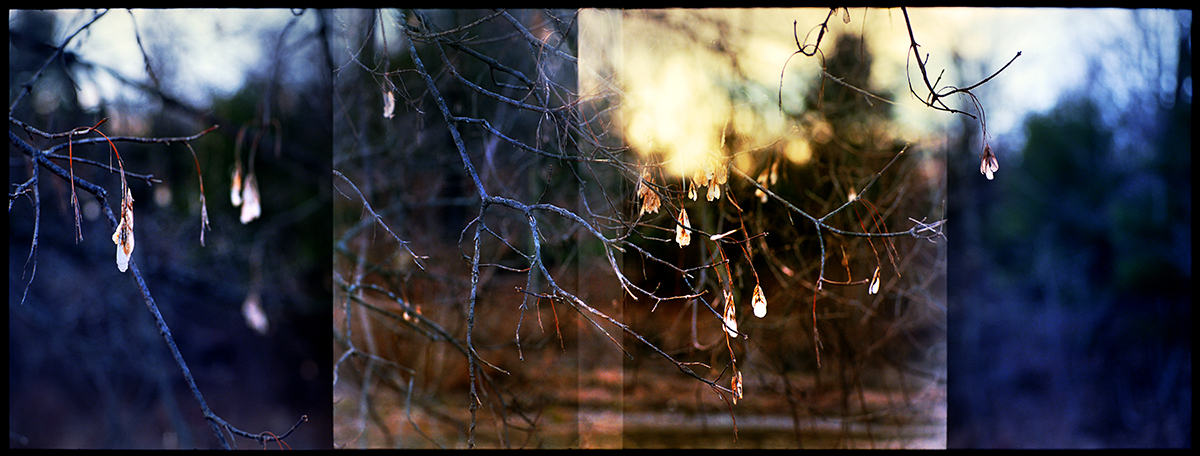
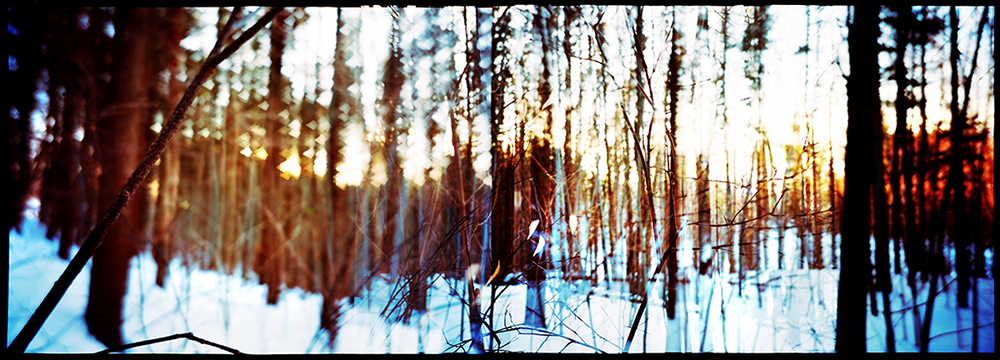
The artwork below was just made with my “used” Leica M7 and my “used” Leica 90mm Elmarit Lens.

leafearringsvermont2009springm7

Last Year’s Leaves, Vermont. 2009
From A New Eden
Leica M7 with 90mm Elmarit Lens
In Camera Overlapping Frame Panoramic Technique, 3X
Kodak Ektar Film
Printed 9.5″ x 25″ on Fabriano 640 gsm Rough, Hand Coated.
Copyright Stephen Schaub 2009

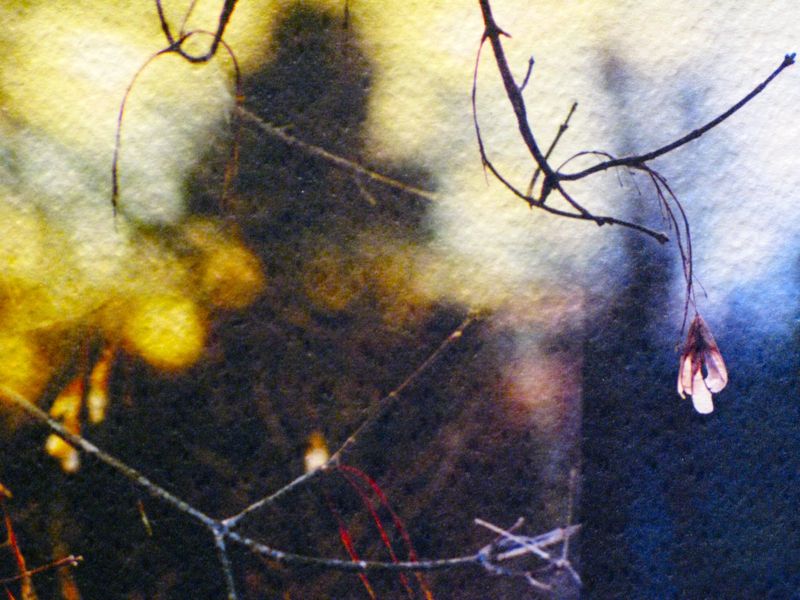
detailvermont09

Print surface detail, hand-coated Fabriano.

The Corrupted M7 Meets Kodak Ektar

Ah yes I had a bit too much time on my hands Friday… I just figured out a method for slipping film in my Leica  M7 using a similar technique I’ve outlined here for the XA and LCA camera systems… somewhere there is a German engineer grinding his teeth!

Early Spring, Vermont. 2009

Early Spring, Vermont. 2009
Leica M7 with 50mm Summilux F 1.4 Lens
In Camera Overlapping Frame Panoramic Technique, 3X
Kodak Ektar Film
Printed 10″ x 25″ on Fabriano 640 gsm Rough, Hand Coated.
Copyright Stephen Schaub 2009

Caligula and Friends

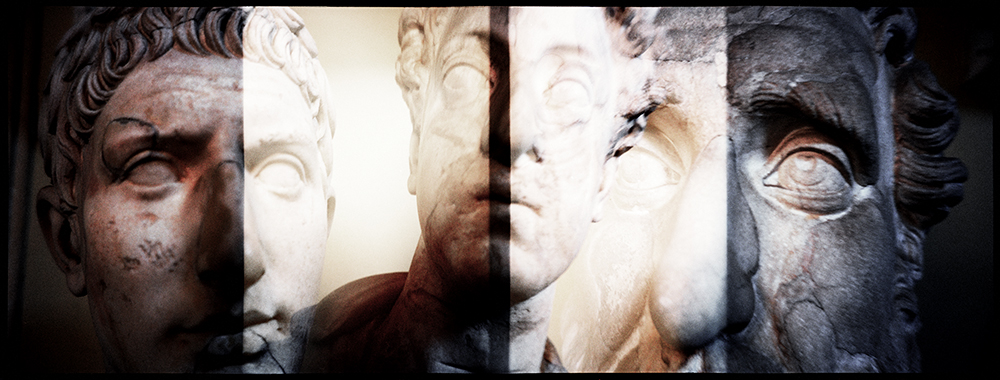
How’s that for a catchy title? The image below represents- as I mentioned in my audio blog journal from Italy – a situation where I had to work though some difficult restrictions but in the end was rewarded with an image I really like. The artwork was made in the Vatican Museum which is really beautiful and amazing, but as you can imagine very strict with rules about what and how you can photograph. When we entered the “room of heads” (my name) I was really drawn to the layers of history and how everything seemed to merge into an ordered historic chaos. This was also a situation where the macro feature of the XA 4 really came in handy!

Caligula and Friends

Caligula and Friends
Vatican Museum, 2009
Triple Overlapping Frame Panoramic Technique
Capture: Olympus XA 4, Kodak Ektar 100
Image Size: 9″ x 25″, Printed on Fabriano Rough 640 GSM
Copyright Stephen Schaub 2009

Kodak Ektar 100 Now in 120!

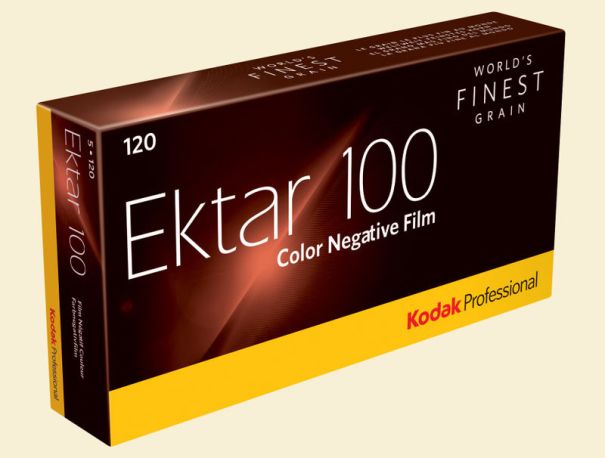
kodakektar120When you have a great product run with it! Kodak has just announced the release of Kodak Ektar 100 in 120… this makes sense from a marketing point and is something I feel photographers working in film capture should be very excited about…I know I am!

Available April 09.

Press Release Link

Viva la Revolution! – Stephen

Putting It All Together

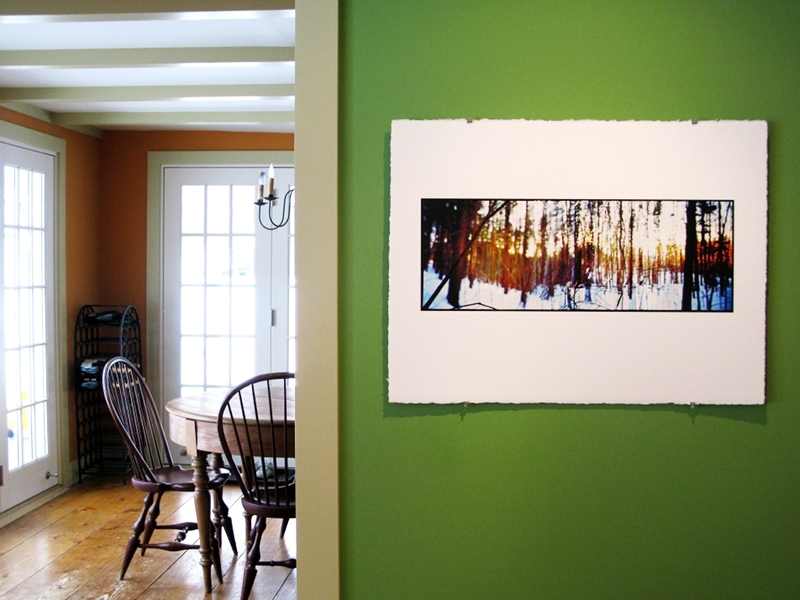
Everything I post here on the Figital Revolution is- in one way or another- part of a test I am running for my own Artworks, or for a client at Indian Hill Imageworks. Over the last few months I have been testing the Olympus XA, the LOMO LCA, the Olympus XA 4, Kodak Ektar 100, alternative printing paper, perfecting my carry solution (BBB) and new methods for hanging artwork. Now it is time to put everything into action! I am leaving for Italy italianflagin a few days (note the Italian Flag) and all of the works and testing will finally get full use. Below is a new image I just made called Winter Leaves, Vermont. 2009. It is made using the Olympus XA 4 using an in-camera multi exposure, overlapping-negative technique I have been refining for the last few months. The film: Kodak Ektar 100…I am taking 40 rolls of it with me to Italy! The paper/ image: printed on an uncoated sheet of Arches Rough 22″ x 30″, 640 gsm as a d’Vinci Print (12 color).

Note: I am about to test a similar style paper with some different sizing properties made by Fabriano… since my new  artworks will be from Italy it only seemed right to look at Italian paper. Hey, they’ve been making paper for over 700 years… they have to be doing something right!

Winter Leaves, Pawlet, Vermont. 2009

Winter Leaves, Vermont. 2009
Edition size: One
Image Size: 25″ x 9″
Paper Size: 22″ x 30″
Copyright Stephen M. Schaub 2009

Install View

Installation View

Finally, I will be working on additional articles while traveling so get ready for new and exciting things here on FR once I return.

schaub-web09


Viva la Revolution- Stephen

Part 2 – Is Cross Processing or XPRO Dead?

AudioBlog Logo

This is Part 2 to the post I made yesterday…more thoughts. A good sub-title for this would be: Process Does Matter!

Viva la Revolution- Stephen

Is Cross Processing or XPRO Dead?

I’ve just started a film test in preparation for my trip to Italy next month– the two films in consideration are Kodak Ektar 100 and Agfa Precia CT cross processed. Thus far, most of the artworks from my current series A New Eden are either XPRO (cross processed- E6 film in C41 chem) or expired film. However- after much testing here on FR I have recently  fallen in love with the new Kodak Ektar  …SO I decided to do a quick comparison test and find out: does the XPRO effect really have to be actual cross-processed film?

So what do YOU think? Look at the snapshots below and see if you can pick out the one that is the Agfa Precia CT XPRO…only one is true XPRO…the others are all Kodak Ektar  in Photoshop using Alien Skin Exposure 2! 

Think you have the right answer? Then give a listen to the Audio portion of this post for additional thoughts on cross processing / Xpro… as well as the answer!

AudioBlog LogoPlease click on the logo to listen to the audio.


When you finish with part one, click here to listen to part 2!

New Kodak Ektar 100 vs Kodak 100 Ultra Color

Kodak Ektar 100

This is part 2 of my review of the new Kodak Ektar 100 film- click HERE to read part one. In this test I decided to compare the same scene photographed side by side, one shot with the new Kodak Ektar 100 and one with Kodak 100UC.

Test Specifications:

Camera: 2 Olympus XA cameras both just calibrated and shot at F8, focused at infinity.

Film: Kodak Ektar 100 rated at box speed (100) and Kodak 100UC also rated at box speed (100).
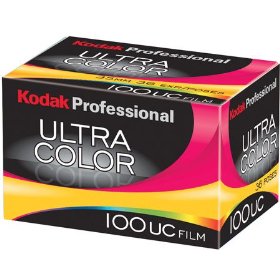
kodak100ucboxScanned on an Imacon scanner (dry) at 3000 PPI so around a 68MB 16 Bit RGB file.

Color Space: sRGB

No sharpening applied in the scan or in Photoshop. All scanner settings were set for Standard RGB Negative with full auto applied.

In Photoshop only AUTO settings were used (levels, contrast and color)- no additional image manipulation was applied. Test files were then down sampled to 8 Bit and reduced to 10″ x 6.5″ for faster download- saved as a JPEG, Level 10.

Please only download the sample files if you have a high speed internet connection as they are around 3MB each compressed.
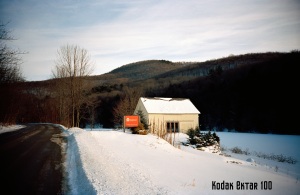
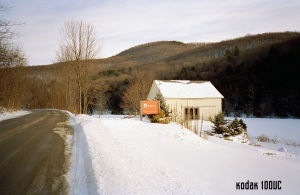
Kodak Ektar 100 Film TestKodak Ultra Color 100 Film TestMy Thoughts:

The Kodak 100 UC has a better exposure latitude, especially at box speed than Ektar 100 does but the grain is a bit more pronounced and the color is somewhat muted whereas the new Kodak Ektar 100 at box speed is a bit thin but has nice saturated colors and somewhat finer grain. Exposing the new Kodak Ektar at an EI of 50/ 64 will make this film very hard to beat.

Overall both films are quite nice but I tend to like the look of the Ektar best, especially when exposed at an EI of 50/ 64. I find scanning the new Kodak Ektar film quite easy and possible enlargements from a good sharp capture lens and a good quality scanner with a bit of work in Photoshop can produce some amazing quality prints even at sizes up to say 20″ x 30″… remember this is 35mm!

Note: If you want to try this film be sure to rate it at an EI of  50/ 64 otherwise your shadows will be thin and you will not be seeing all that is possible from this new offering. Yes, I like this film!

Please note that the sample files are for personal use only and are Copyright Stephen Schaub, 2009.

New Kodak Ektar 100 Film – Part 1

I was lucky enough to get a brick plus (35mm) of the new Kodak Ektar film at Photo Expo Plus in NYC… so when I returned to my studio in Vermont I quickly loaded my Leica M7 with a roll and decided to make a few “test” shots around my yard.

Image Results:

The Full Size image is a 20″ x 30″ print- the crop represents a 4″ x 4″ section of the full size.

Testing Specs:

  • Leica M7 with Leica Summilux 50mm 1.4 Lens
  • F 5.6 at 1/125, Hand-held
  • Film was rated at Box Speed (more on this later…)
  • Scan was done on an Imacon with NO sharpening applied, scanned at 6300 dpi.
  • Photoshop work was limited to white point and black point, no color correction, no noise reduction, no sharpening, no curves…

Image Size/ File Size Info:

  • 309 MB file at 300 Optical DPI, 16 Bit
  • 20″ x 30″ Print Size

Initial Thoughts:

This new offering by Kodak has very tight grain (this is 35mm folks!!) with good, bold color but still “neutral/ natural” in feel. My initial feeling is that it is a bit slower than box speed (normal for most negative material). On my next test roll I will rate it around 50-64 which should be perfect (with color negative material its better to be safe than sorry with regards to your exposure!). Box Speed (ASA 100) is usable, but under difficult lighting situations underexposure is just too great a risk. So far… I am very impressed…stay tuned for Part 2 in a few days.

Viva la Revolution!