When Sharp is REALLY Sharp: High Resolution Films, Part 1

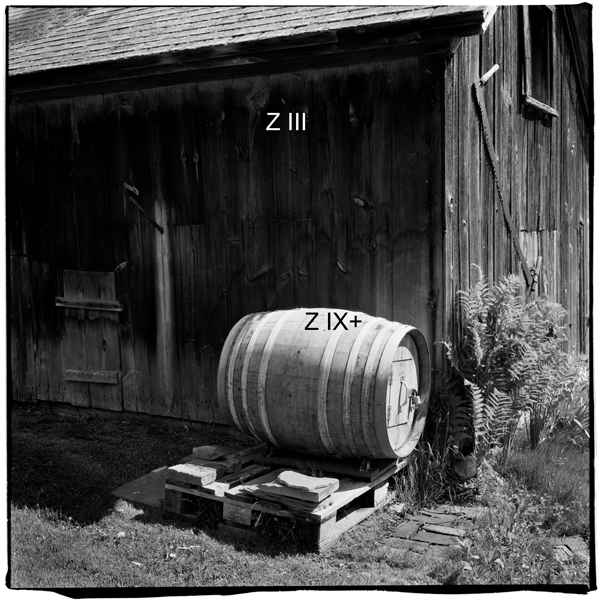
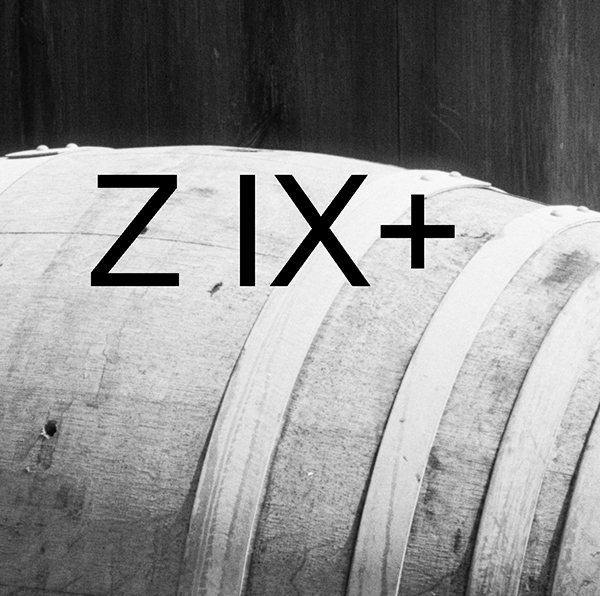
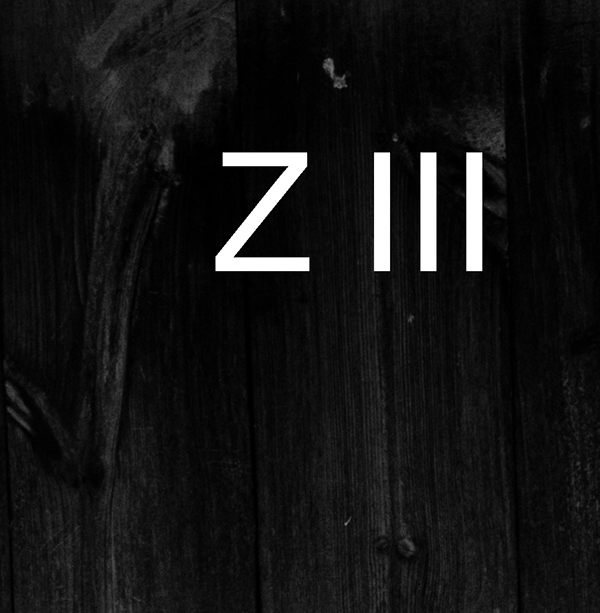
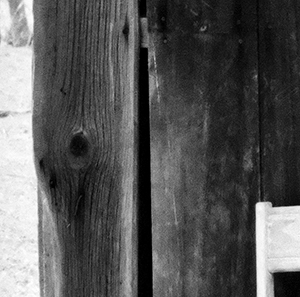
I’ve been testing a new film recently, Rollei Pan 25 (120mm) processed in Diafine (3+3) and the initial results are quite amazing! The film does have a bit of a nasty curl to it when dry but nothing a glass carrier or oil mounting for scanning won’t fix… Here is a sample image I made using this film (shot on a 1960 Rollei TLR “F” at f/11 at 1/8th, exposed at BOX speed 25!) as well as two detail crops…just click on the thumbs to get an enlargement.

Note: Z= Zone. Also, the usable dynamic of this film is huge…I have great shadow detail down into Zone II (easily) and the highlights are very clean with nothing blocking up and the grain is almost impossible to find!

The final full size image is 20.7″ x 20.7″ at 360dpi (optical scan resolution 3200, 16Bit). It is important to note that NO SHARPENING was applied in scanning or in post processing and NO NOISE REDUCTION has been applied either…the file is au naturale! I will continue to refine this film/ process over the next few days followed by testing of Efke 25 and then a final comparison between Rollei Pan25, Efke 25 and Kodak Technical Pan Film (I have quite a bit of frozen Tech Pan). All images and tests will be shot on 120mm film. Stay tuned!!

Viva la Revolution!!


What is YOUR Usable EI – Exposure Index?

First a quick bit of background info:

Exposure Index- “EI”- is your personal speed setting for a particular film and developer combo that in most cases is different than the manufacturers posted ISO or ASA data (lots of reasons for this difference) and it reflects a photographer’s specific film requirements with regards to shadow and highlight detail, contrast, grain, etc… Many photographers do extensive testing to determine the best EI for a particular film and developer combo but in the end most photographers settle for a single EI and developer time for a particular film. An example would be- “I shoot Kodak TX at an EI of 1250 and process in Diafine 3+3 at 70F.”

Now for the Diafine Twist:

That tested EI is not the “only perfect EI” but rather just one possible working EI when using Diafine Developer. For example, I have determined that TX processed in Diafine at 3+3 has a USABLE EI range of 400-1250/ 1600…that means that I can rate it at 400 or I can rate it at 1250 if I need to or I can rate it at any in between EI based on subject exposure requirements- there is enough latitude with regards to exposure and development with TX and Diafine that both of these EI are possible for scanning purposes and produce brillant negatives…even one shot right after another on the same roll at a different EI, each would get the same processing time in Diafine– it is like working with the very forgiving Ilford XP2 Super which can handle a range from EI 100-800 (C-41 film) but with real B&W film! (Note: I love XP2 Super but it is a very different looking beast than conventional B&W film.)  With a “normal” developer, say D-76, you would need to increase or decrease your development time or temp or both if you changed your EI beyond half a stop with most black and white films.

So here are a few films I use with their USABLE EI range based on my testing. (NOTE: all USABLE EI listed are for Diafine Processing as outlined here on Figital Revolution.)

  • TX: 400-1250/ 1600 (3+3 at 70F)
  • 125PX: 125-400 (3+3 at 70F)
  • Fuji Acros: 100-200 (4.5 + 4.5 at 70F)
  • TMY-2: 400-640 (3+3 at 70F)
  • FP4+: 100-225 (3+3 at 70F)

Final Thought…why would you want to have a different EI for the same film or know the EI range for a particular film? The answer is flexability (how much can I over or under expose and still get a good negative)- with this approach and knowledge let’s say, for example, I am working with a film like Kodak TX-just load a roll in the morning and start shooting and adjust your USABLE or “flexible” EI as the day and lighting change… when you’re done just process the whole roll with your normal Diafine processing time and scan away! The results are consistantly USABLE and amazing.

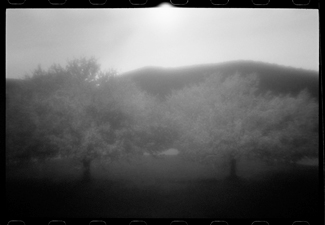
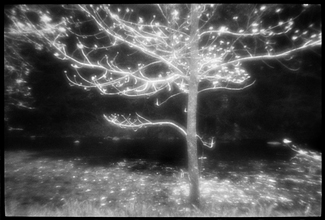
28mm Zone Plate meets the M7 and Diafine Developer

Some years ago I did extensive work with pinholes, Zone plates and Holga camera systems, specifically for my Through A Glass Darkly artworks and book. Recently I decided to give a Zone Plate a try on my Leica M7 (it is a 28mm f/32 Zone Plate I purchased from Pinhole Resources) and TX processed as I have already outlined here on the Figital Revolution using Diafine Developer. It seems to me that this combo of TX/ Diafine/ Zone Plate and Leica M are a perfect combo. The TX and Diafine Developer really help control the Zone Plate with regards to contrast and it also gives me a high enough EI to make hand held shots very possible (my usable range for TX in Diafine is 400-1600). The M7, or really any rangefinder camera system is nice as the image view is not reduced (illumination) by looking through the Zone Plate as would be the case with an SLR (of course this means that you will have to visualize your final image as none of the Zone Plate qualities will be visible until you process your film assuming you’re using a film rangefinder). Of course digital capture would give you instant feed back (did this a few years ago in the American Southwest) but I just love the look of this combo. Scans were done in house at Indian Hill Imageworks on our Imacon Scanner, wet mount at 3200 optical dpi- a few resulting images are below from my first roll…
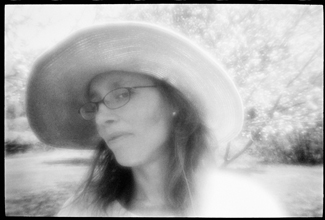
 

For more information on using a Zone Plate or for that matter what is a Zone Plate check out the links below.

Viva la Revolution!

Fuji Acros 100 and Diafine Developer – Part 2

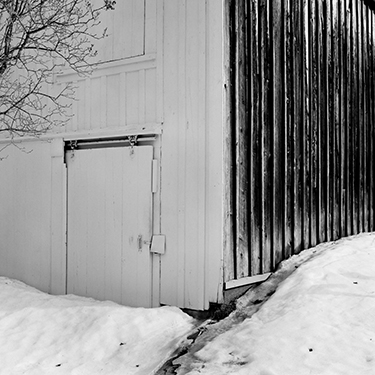
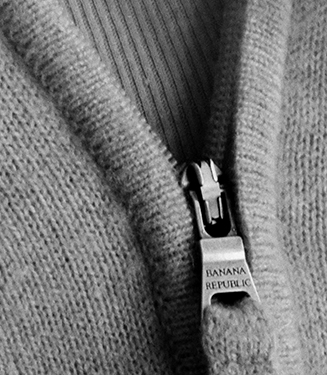
Finally part 2! Here are some sample images made on my M7 Leica and my Rollei 2.8 (F – 1960) using Fuji Acros at an EI of 160.

The two square images of course were shot with the Rollei (120mm) and the hand and zipper image was made with my Leica M7. Full size the Rollei images are 18″ x 18″ (142MB, 16 Bit, Grayscale, 120mm Negative, 3200 dpi scan) and the hand and zipper image is 16″x 24″ (160MB, 16 Bit, Grayscale, 35mm Negative, 6300 dpi scan). The detail crop of the zipper represents approx a 3″x4″ section of the larger 16″x24″ print…amazing!

Here is how I processed it…

Fuji Acros 100…EI 160

  • Diafine Developer at 68-72 F
  • Part A 4.5 minutes (two inversions every minute…gentle.)
  • Part B 4.5 minutes (two inversions every minute…gentle.)
  • Water Stop 1 minute Fill and Dump (68-72 F)
  • Fix Kodak Rapid (5 minutes)
  • Wash 1 minute running water (68-72 F)
  • Perma Wash 1 minute constant agitation
  • Wash 5 minutes (65-75 F)
  • LFN
  • Dry

For more information on the process and testing conducted please listen to the audioblog link below….

TIP– When your developer starts to get dirty…say after 30 plus rolls just run it through a coffee filter to “clean” it…use a different filter of course for each solution.

Fuji Acros 100 in Diafine Developer

Thumb

This is a test in progress post but I feel really good (and excited) about my results so far and wanted to share…

Here is a difficult test image (huge dynamic range) shot with 35mm Acros 100 (Diafine EI 200) with my Leica M7 and a 50mm F1.4 Sumilux at F8.

The processing is very different than suggested on the box or in previous posts- I will be posting the developing “how to” after this weekend as I want to run just one more test. The full size image which was scanned at Indian Hill Imageworks on our Imacon at 6300 dpi, fluid mount, 16 Bit is 24.5″ x 16.2″ (optical resolution). The crop image is a 2.5″ x 2.5″ section of this larger file…do you see the bent nail?! The large file link at the bottom will download a scaled down version (Approx 10″ x 6″ @ 360, 8 Bit) so say around 8MB uncompressed (best for high speed users only) will give you an idea of what is possible with the incredible combo…the full file (98MB) is amazing.

Crop

More in a few days.

Viva la Revolution.

Stephen Schaub

Large File LINK