Photography in 90 Seconds or Why I Love Instant Film – Part 1

FRInstantTestImageAug09
Fuji FP100C, Polaroid 110B Modified Camera, Vermont. 2009

AudioBlog Logo

Click on the Audio Blog logo to listen to a 4 minute introduction on Instant Photography (Polaroid and Fuji instant films) and the hybrid workflow. This post is an introduction to the upcoming multi part video series here on Figital Revolution so stay tuned.

Artwork Links mentioned in Audio….

Plus- stay tuned for my newest artworks made using instant materials to released later this fall. The show at Indian Hill Imageworks is tentatively scheduled to open on October 3, 2009… more information on that soon as well!

Viva la Revolution- Stephen

Stand Development Part 3

AudioBlog LogoOk, so lets put everything together and start processing some film. First, be sure to listen/ watch Part 1 and  Part 2 prior to this post as there is important information in those posts not covered here. Then click on the Audio Blog Logo to hear an 11 minute summary of tests- what worked and what didn’t- and my thoughts on successful stand development.

Recipes described in the Audio Portion of this post:

  • Fuji Acros (EI 100 / 125)
  • 800 ML Distilled Water
  • 3 ML R09
  • 200 ML Xtol Developer
  • 1/4 Teaspoon Borax (optional but helps control fog)
  • 1-2 Teaspoons Asorbic Acid (optional)

Process as described for 3 Hours. You can cut this in half for smaller tanks.

  • Kodak TMY-2 TMAX 400
  • 800 ML Distilled Water
  • 5 ML R09
  • 200 ML Xtol Developer
  • 1/4 Teaspoon Borax (optional but helps control fog)
  • 1-2 Teaspoons Asorbic Acid (optional)

Process as described for 1 – 1.5 hours. You can cut this in half for smaller tanks.

You can use the recipes above for many films… I’d suggest the TMY-2 Reciepe for 2 hours with films such as TX, Delta 100, Delta 400 and HP5… do a test at 2 hours and then one at 3 hours to see what works best for you!

Source for additional Information and example images (good book to buy!):

Iridescent Light Book by Michael Axel

Thanks also to Carlo Chiopris for his thoughts/ valuable information when I was starting this process:

http://www.flickr.com/photos/cchiopris/sets/72157610266094791/

The Unblinking Eye Article: Appreciating Rodinal by Ed Buffaloe

Viva la Revolution- Stephen

Stand Development – Part 1

RO9This is part one in a multi-part article on stand development and semi-stand development (BW) for the purposes of scanning. I have been spending much time looking at different dilutions, different agitation techniques, different recipies and I have come up with a good working solution for my tested films that produces perfect results every time.

AudioBlog LogoTo listen to the audioblog portion of this post … just click on the Audio Logo.

Many of you know I really like Diafine Developer (I have written several articles here on its fantastic qualities for scanning)… the techniques I am about to outline have many of the advantages of Diafine but with finer grain and better highlight separation.

Before we get started, here is a shopping list if you want to try this technique for yourself:

Film: Fuji Acros or Kodak TMY-2 (New TMAX 400)
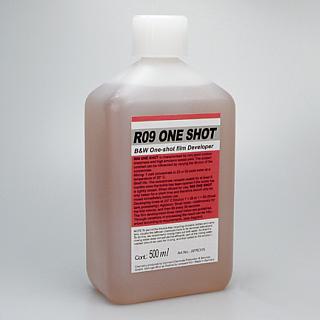
R09 “One Shot” Developer (Rodinal Replacement)
Kodak Xtol Developer
Ascorbic  Acid
Borax
Or you can use 20 Mule Team Borax found at most Supermarkets.
Distilled Water (a few gallons)
Plus you will need, of course, your standard darkroom chems: stop bath, fixer, and hypo.

Stay tuned for Part 2 in two days!

Viva la Revolution- Stephen

Ethical Note: I do not endorse any vendor of photographic material over another. The links provided above are just an easy source to find the materials needed but by no means are the best or only source.

Working at Less Than 100 Percent

Most pinhole images are made using a pinhole that is very close to- or at the optimum size for- the chosen focal length and in most cases this is a good choice for general photography: it lets you get the best quality image a pinhole can produce. That being said, while testing the PinZonie I have been experimenting using pinholes that are in some cases up to 2 stops more open or closed than the optimum setting and really liking the creative options it gives me.

As I always say… experimentation is key!

Pinzone-2Pinhole28mm

Trees in Afternoon Light, Massachussettes. 2009
From the Negative Series
28mm PinZonie, Pinhole Setting, -2 stops from optimum
Kodak BW400CN, Scanned on an Imacon Scanner
d’Vinci Noir Print on Hand-made Bhutan Mitsumata Thick White
Copyright Stephen Schaub 2009

Kodak BW400CN, Fantastic Misunderestimated Film

Many of the chromogenic (C41) process black and white films get mixed reactions on the web from working photographers, but my recent and continuing exploration of Kodak BW400CN has changed everything in my mind and in a very good way. To listen to the audio portion just click on the audioblog logo.

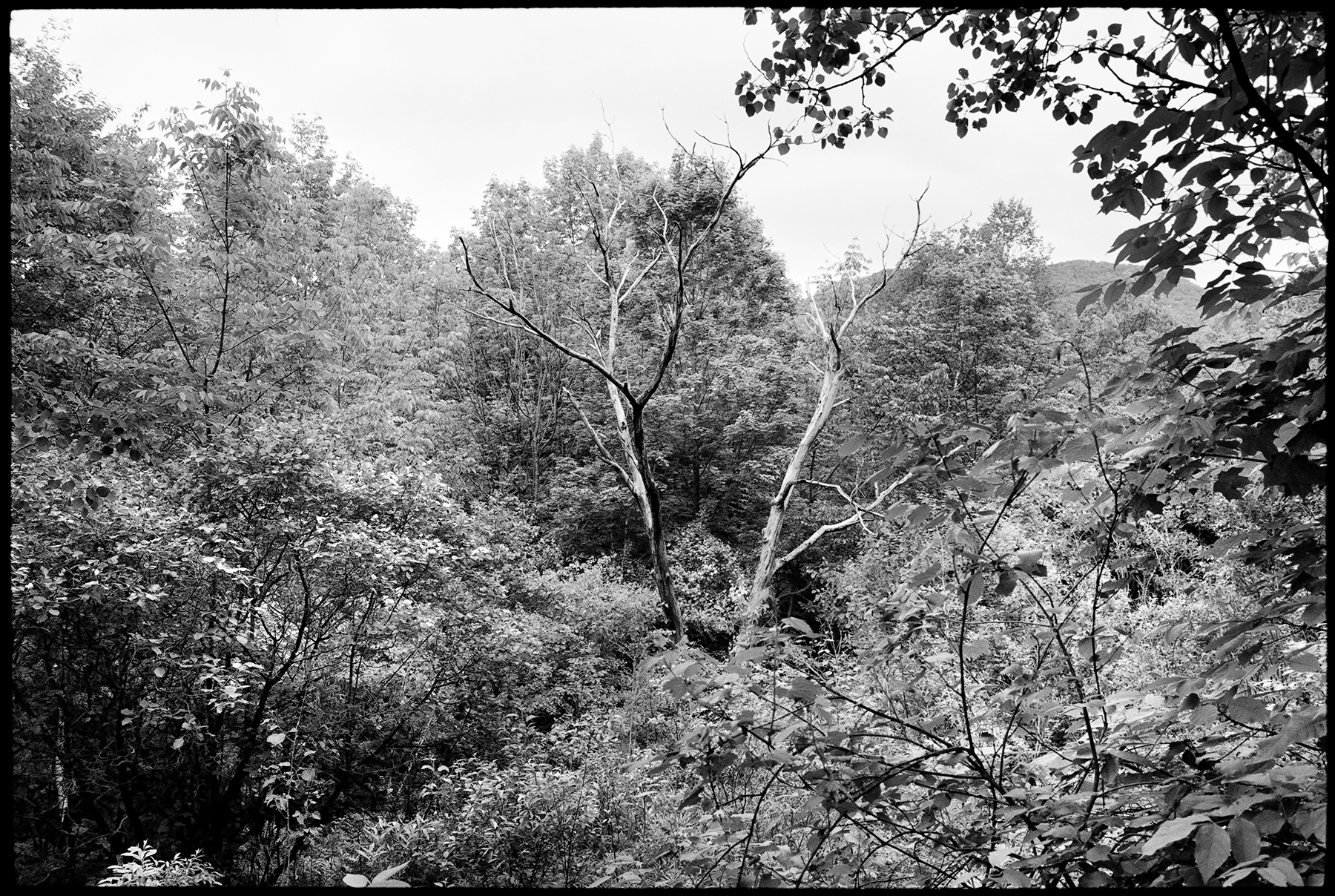
AudioBlog LogoTest Image: Kodak BW400CN exposed at box speed (400) and scanned on an Imacon Scanner. Minor contrast and density adjustment were applied in Photoshop CS3. Negative was made using a Leica M7 with a 28MM Elmarit F2.8 ASPH lens. Please note the file is larger than most here on FR so you can really see the stunning tonal range and detail. One additional note on the weather here in Vemont… it has been raining a lot and as such this image was made on an overcast day, thus the gray sky.

BW400CN_400

Film Scanning Technique 101

AudioBlog Logo

In this audioblog I present a philosophy of scanning film based on the understanding that in the end photographers make prints and our entire process from film capture to scan to Photoshop to printer is all based on making prints. I outline in detail techniques and settings which will apply to most scanners and will help you get the most of your film and scanner combination. This is a very long audioblog- 27 minutes- and as such have paper and pencil ready, as you won’t want to listen to my voice for this long twice!

Full Process Example Image

YellowSpringPawletVermont2009

Yellow Spring, Vermont. 2009

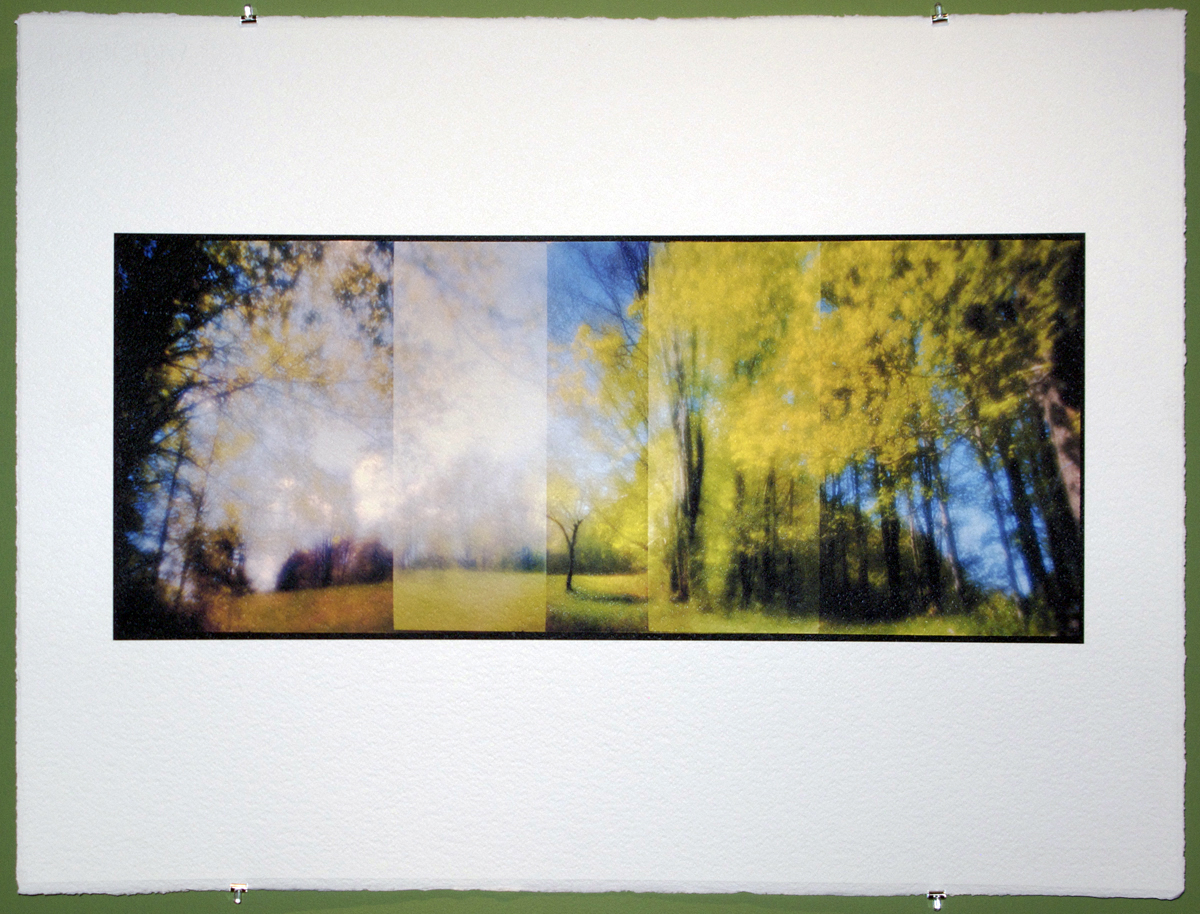
This recent artwork of mine is a good example of the process outlined in the audioblog. I started with Kodak Ektar 100 film (35mm)- I’ve tested this film and understand how to get the most out of it in a variety of different lighting situations. The camera was my Leica M7 with a 28mm Zone Plate, and the image was made using my Overlapping Frame Panoramic Technique outlined here on FR. After processing (C41) the negative was scanned dry on my Imacon at 4000 optical dpi, 16 bit as an RGB positive, with miminal sharpening and dust removal. All other editing and contrast adjustments were done in Photoshop.  My chosen Photoshop color working space as well as the scanning color space?sRGB.

Final thought

Knowing the real limits of your workflow, technology and skill level and having a clear understanding/ feeling for your visualized final print helps make the entire process a very fluid and creative endeavour. Test first and remember: experimentation is key!

Viva la Revolution- Stephen

UPDATE: 5.16.09

Link to BETA RGB:http://www.brucelindbloom.com/

Click on Info, then click on Beta RGB: A New Working Space Proposal… the BETA RGB download if found on this page… spend some time on this site as it is a wealth of knowledge.

High Speed Pinhole and Zone Plate Photography, Part 3

AudioBlog Logo

The final installment of this series provides information on all films tested, thoughts on Zone Plate and Pinhole as it relates to these films and observations and conclusion on this process. The audio portion can be heard by clicking on the Audio logo: note the audio portion is around 16 minutes.

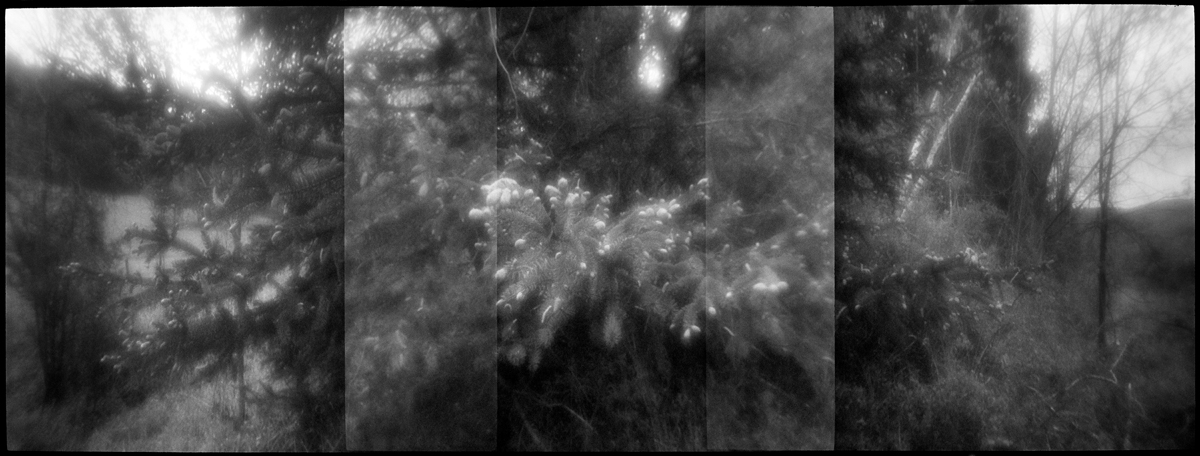
PineBudsTmy2testzonem71600
Pine, Vermont. 2009
28mm Zone Plate on Leica M7
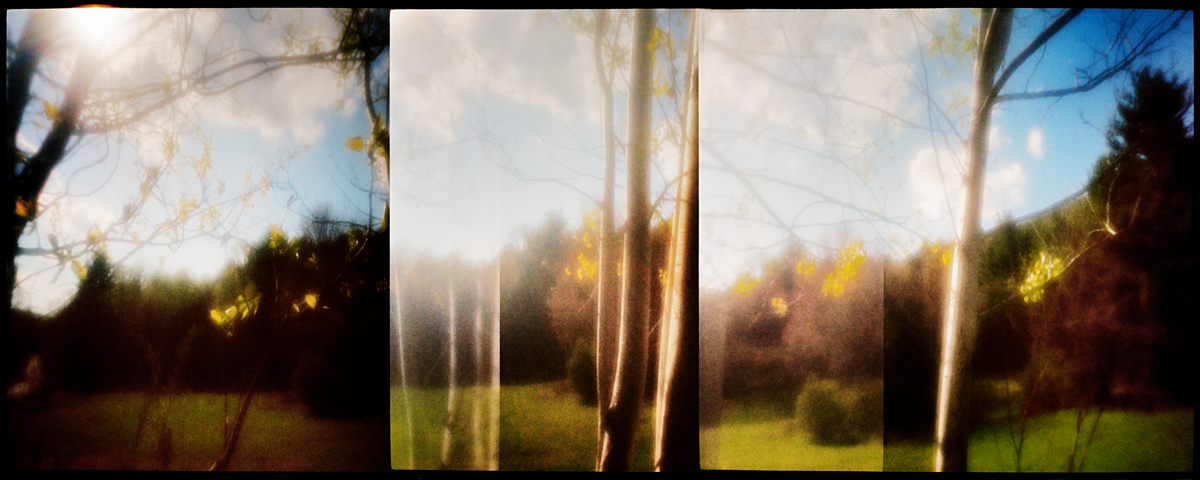
Overlapping Frame Panoramic Technique (3X)
Film: Kodak TMY-2 (Tmax 400) at an EI of 1600, processed in Xtol Developer.
Printed on Fabriano 640 gsm, edition size one.
Copyright Stephen Schaub 2009

ZonePlateLongHHExpTestEktar100

Spring Blossom, Vermont. 2009
28mm Zone Plate on Leica M7
Overlapping Frame Panoramic Technique (3X)
Long Hand Held Exposure, 30 sec +/-
Film: Kodak Ektar 100Printed on Fabriano 640 gsm, edition size one.
Copyright Stephen Schaub 2009

ZonePlateLongHHExpTestEktar100_2

Field Edge, Indian Hill, Vermont. 2009
28mm Zone Plate on Leica M7
Overlapping Frame Panoramic Technique (3x)
Long Hand Held Exposure, 20 sec +/-
Film: Kodak Ektar 100Printed on Fabriano 640 gsm, edition size one.
Copyright Stephen Schaub 2009

High Speed Pinhole and Zone Plate Photography, Part 2

AudioBlog LogoIn this audio blog I discuss my testing results for Kodak P3200 at an EI of 6400 for hand-held pinhole and zone plate photography as well as the new direction Part 3 in this series will explore. Click on the Audio Logo to listen…

LINK: TMY-2 @ 1600 article here on FR.

High Speed Pinhole and Zone Plate Photography, Part 1

zoneplateimag

Part of my ongoing creative exploration of Zone Plate and Pinhole photography has entered a new area… high speed film. Most applications of Pinhole or Zone Plate photography require the use of a tripod or some sort of support device but that does not fit with my current shooting style SO I have just run tests of Ilford Delta 3200 and Kodak P3200 in a variety of different developers from an EI of 3200 – 25,000 to see if it would be possible to hand hold exposures under a variety of common lighting situations and get a negative that-when-scanned would have all of the expressive grey tonality I need with contrast in check… the answer is Yes! The best film for pinhole and zone plate high speed applications in my opinion would be the Kodak P3200 at 3200 – 6400. The sample images below are just a very quick test done at the end of the day in rainy overcast very flat light… the image on the left is a 28mm F32 zone plate on my Leica M7, the image on the right is a 28mm F151 Pinhole also on my Leica M7… both hand-held at shutter speeds over 1/30th even in this dismal low light… shot at an EI of 6400. The cropped image  is a 5″ x 5″  example section of the pinhole image scaled to 20″ x 30″ … remember this is an EI of 6400 shot through a pinhole. I think the visual quality is amazing and I plan on shooting this afternoon and posting a fuller series of articles starting in a few days with the “secret” developer info as well as thoughts on working with pinhole and zone plate with high speed films on a variety of different cameras. Just a quick note- no noise reduction or sharpening has been applied to any image and all images are dry scans on my Imacon Scanner.

p3200fullzonepinjpg1
Left Zone Plate, Right Pinhole
55crop_pinfullsize1
5" x 5" Crop of a 20" x 30" Print.

The sun has just come out (lots of rain here in VT this time of year) so I am off to shoot!

Viva la Revolution- Stephen

UPDATE: Ok so most of the day has passed and I have managed to shoot two rolls of the Kodak P3200 at and EI of 6400  (the sun was out for exactly 2 hours!) and just finished processing them… they look fantastic! My exposures were for the most part using the pinhole (f 151) at shutter speeds ranging from 1/60 to 1/15 on my M7. I will post images sometime tomorrow…

A Creative Day – Day 3

I’ve completed my inital testing of Fuji 800Z with the 28mm Zone Plate on my M7… I like the results but I can tell you that getting a good negative/ scan that has decent contrast and PS techniques to keep shadow and highlight detail and enhance local contrast ain’t no small thing! I wish I could find some faster color negative material that that still had good color but it seems that Pro 800 and 800Z are my best bets for now. One thing I really love about the BW images is how the very nature of a black and white image abstracts in a way the color does not and I think this works very well with these images. Thoughts?

Spring Sunset, Indian Hill, Vermont. 2009

treesatsunsetihiwzoneplatem7800ztest2
Yellow Leaves at Sunset, Vermont. 2009