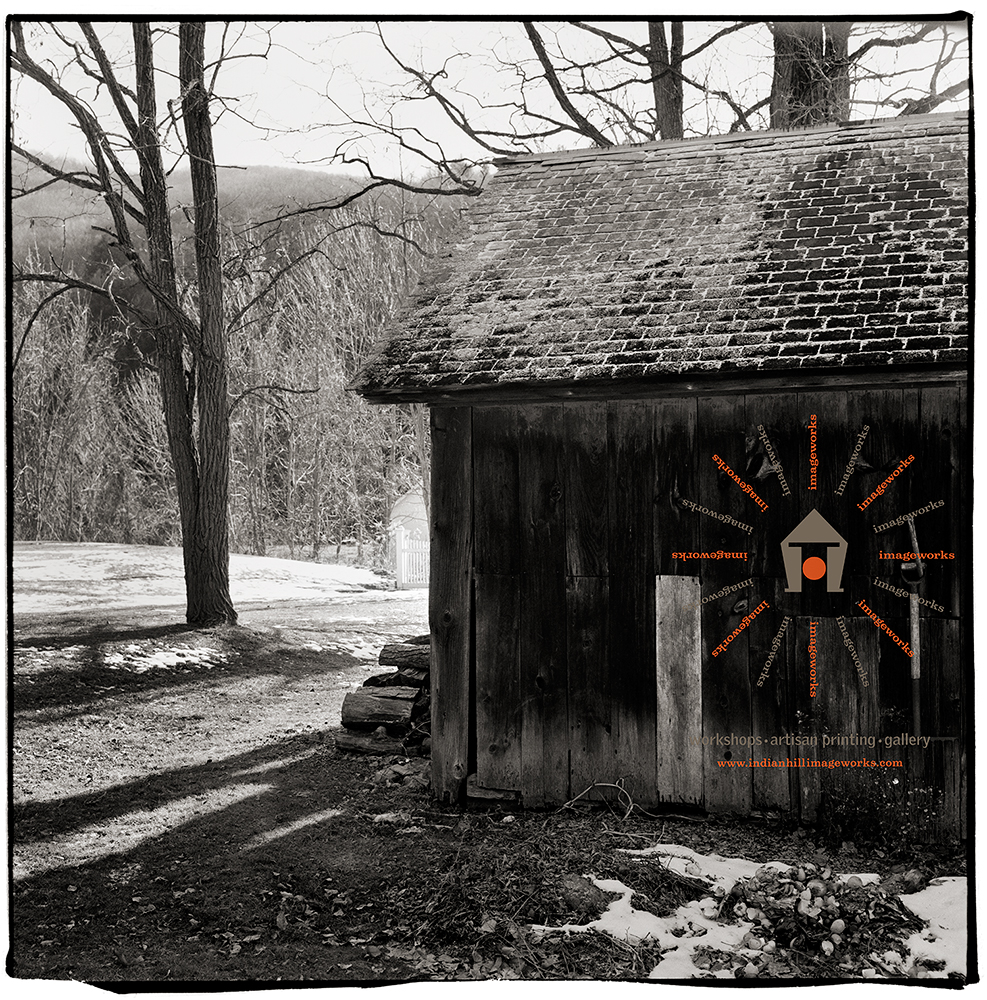
Here is a test image that I shot this afternoon with a huge dynamic range … it was 5 degrees Fahrenheit- but anything for art! The image was made with my Rollei TLR on Fuji Acros at box speed, processed in Caffenol C. So, what do I see?… a very nice range of tones, very sharp and nicely defined grain. The dark barn boards were metered for Zone 3 and the white patch of snow in the background fell around Zone 9.5 and yes there is tone… the sky in between the branches is a Zone 7.5. Overall I am very happy with the results and the level of control this unconventional developer provided for such a difficult shot. The scan was done on my Imacon… in Photoshop I did some standard black point and white point adjustments as well as a bit of a boost to contrast but not much more. The negative has very much a Diafine quality with regards to the required photoshop “S” curve to increase contrast and is very neutral in that it could easily be adjust to many different visual qualities. Interesting…
Fuji Acros 120 Processed in Caffenol CDetail Fuji Acros 120 Processed in Caffenol C
This detail crop would be from a 30″ x 30″ print and would represent a 4″ x 4″ area. Do you see the bent nail?… not bad for Coffee!
The sample images below are my second set of test shots processed using Caffenol C… the first image is Ilford FP4+ and the second is Fuji Acros… the Acros in my opinion is quite amazing! The Acros has the lowest fog level of any film I have tested so far (8 films and counting in Caffenol) and has a good usable range and very nice fine grain. The FP4+ was processed using the time posted on Digital Truth with very good success.
Ilford FP4+ Processed in Caffenol CFuji Acros Processed in Caffenol C
I’m not sure if it reads on the screen but in the Acros image there is very good detail in the left side dark region… both images were shot with my Leica MP with a 28mm lens at box speed. The Acros processing time and technique will be discussed later…
Viva la Revolution
If coffee is good for me (and it is)…. it must be good for my film, right? I had heard about developing film in coffee back when I went to RIT but have never got around to trying it- until now.
My first test rolls were Kodak 400TX in both 35mm and in 120. The 35mm (above image) was shot in my Leica MP with a 28mm lens and the 120 was shot with the Cuboid using a F72 pinhole.
The method I used for mixing the developer can be found here on Digital Truth. My agitation was 1st minute constant and then 3 inversions per minute till end of time which for 400TX I chose 30 minutes at 70 F. After looking at my test negatives I think they are over-developed by quite a bit but my Imacon had no issue making a good scan. The increased development was a result I believe of the ascorbic acid added in the Caffenol C recipe. If I were to do 400TX again with this recipe I would go for around 20 minutes but I would need to run a test to confirm that time.
If you google Caffenol C or just Caffenol you will find a wide range of opinions regarding this processing technique. The grain is large and sharp and the film is VERY low contrast but that can be a good thing for scanning.
So why would you want to do this?
It’s cheap.
It is enviromentally sound.
It has a unique visual quality from other developers I’ve used… a “vintage” quality.
It produces negatives that are “easy” to scan.
It can be done on almost all films with varying degrees of success.
It’s fun!
If you want to see a larger version of the picture above click here. Please note it is a large file.
Next test…. Ilford Fp4+ in Caffenol C using the time suggestion also found on Digital Truth. The 400TX I used for this test is a bit too fast for my current needs and from what I can gather from other users of Caffenol C Fp4+ is a good choice… stay tuned.
One last note… it smells like hell!
Viva la Revolution!
Link to article on RIT (Rochester Institute of Technology) web site:
Here is a quick technique I use from time to time to get the maximum usable dynamic range out of film on a contrasty scene.
Film: Kodak TMAX 400 (TMY-2)
Developer: PMK 1:2:100 @70 F (Mixed with Distilled H2O)
Please note: If you have never used PMK developer understand that it requires careful handling… always wear gloves and use safe chemical handling techniques as it can be quite toxic. Also with T Grain films the temperature is important so use a water bath to maintain 70 F during processing.
Exposure:
Expose the scene for the shadows… if you have a spot meter make sure you have a solid Zone III…. don’t worry about the highlights as they will be just fine. (Stay tuned for my review of the new spot meter by Metered Light!)
Once you have your exposure figured out overexpose by 3 stops. You could always just set your meter to an EI of 50 instead of the normal 400 for TMY-2 (this is what I do). In simplest terms we are overexposing by 3 stops and developing for 50% of our normal time. The developing procedure listed below represents a 50% reduction in development time from my normal with this film / developer combination. This technique will work for different films with PMK as long as you follow the simple rule…. overexpose by 3 stops and reduce your development time by 50%.
Processing:
1. Pre-wet- 1 minute at 70F, constant agitation (distilled H2O).
2. Developer: PMK for 7.5 minutes (1+2+100). Continuous agitation for the first 30 seconds then one inversion every 15 seconds till completed time. Save the used developer as you will use it again in the after bath.
3. Stop: Tap water, 2 minutes fill and dump with agitation. Do not use anything but water!
4. Fixer: TF-4 for 5 minutes, follow package directions. Only use TF-4 fixer!
5. After Bath: For those of you not use to using PMK you reuse the saved exhausted developer by dumping it into the tank for a second time after the fixer which will increase the image stain. 2 minutes with standard agitation. There are schools of thought that suggest that the after-bath is not important… with some films like 400TX I would agree but with this technique and film it is a good thing in my opinion.
6. Wash for 30 minutes.
7. Wetting Agent.
8. Dry.
Note: This technique as outlined here is for scanning purposes and I have not tested it for wet darkroom usage so I do not know how well it would work, BUT- for scanning it is fantastic. I would only use this technique for situations where the contrast / dynamic range is well beyond “normal”… this plus a bit of pre-exposure goes a long ways (no pre-exposure was used on this image but I will write an article on this technique very soon)! I have tested it on “normal” scenes with success, but it does require a bit more work in Photoshop to correct for the huge expressive shadows and somewhat flattened highlights, so it is best to use this for high contrast scenes.
So the results….drumroll please…
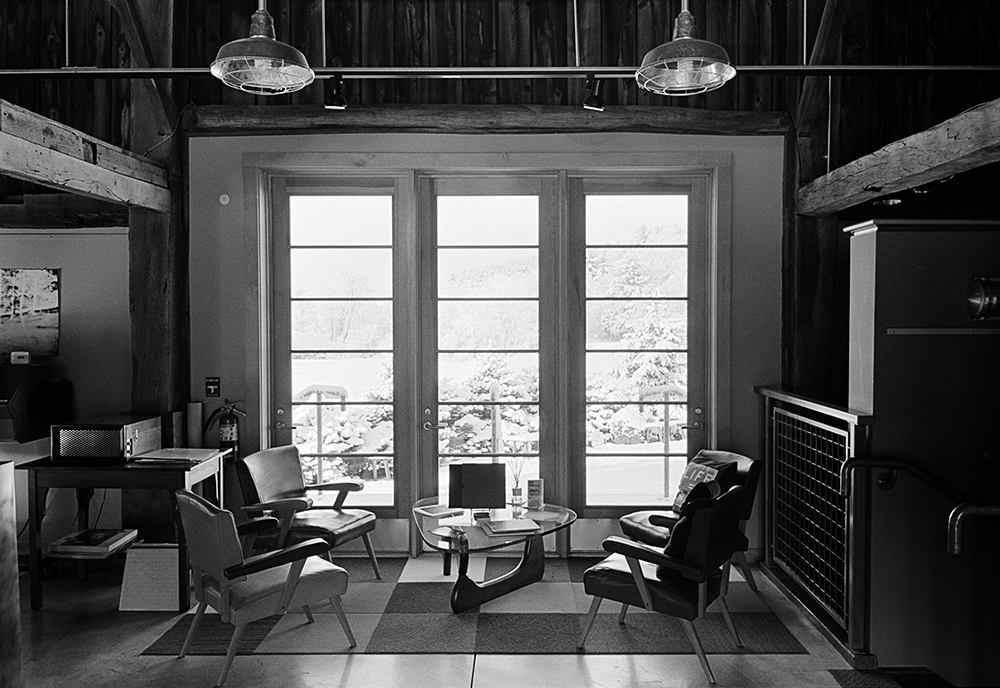
Inside Indian Hill Imageworks
In the image above the shadows (Zone III) were placed on the dark barn board above the windows… the snow outside which was in direct sunlight was 17 stops brighter… this is a straight scan on our Imacon… no dodging or burning! There were no lights on inside the building so it was quite dark. In Photoshop I added a minor “S” curve but nothing else. The grain is very nice and controlled for 35mm. The snow outside the window has nice detail (not sure how well that reads in the online image)… nothing is lost on either end.
I chose TMY-2 for this test as it is box speed in PMK and it is a film I really like… another good choice would be TMAX 100 which is also box speed but with the 3 stop overexposure you have a working film speed of 12… time to break out the tripod!
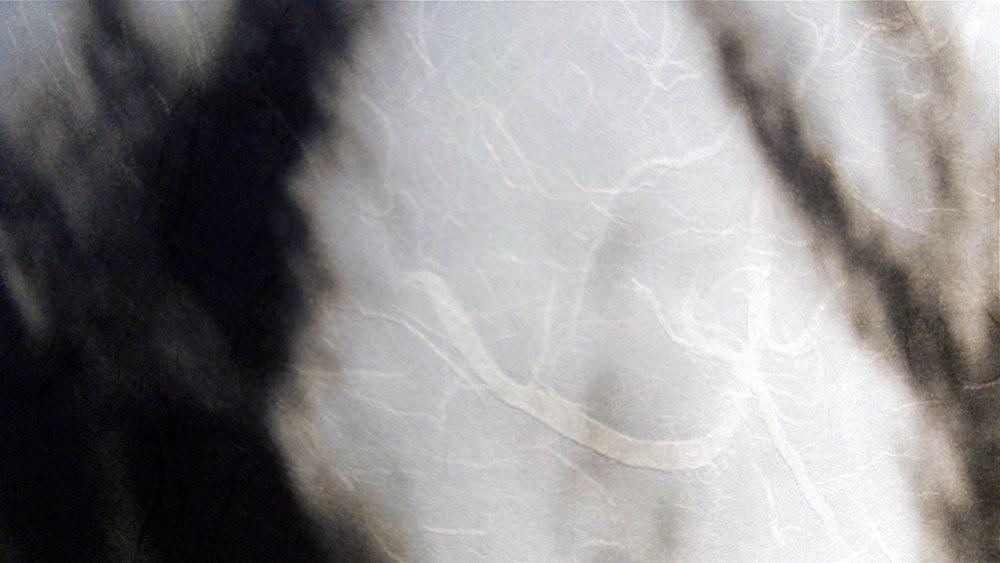
Click on the audio logo to hear a review of this exciting paper offering. Below please find sample images printed here at Indian Hill Imageworks on our Epson 9900 on the Moenkopi Washi Unryu.
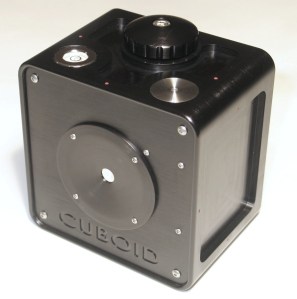
The Cuboid is set for release December 1, 2009 so over the next month I will do one article a week focusing on this unique new camera in addition to my regular articles.
The first in this series is on the multi-aspect ratio possibilities of the Cuboid. The attached image illustrates that with the 7 included masks the Cuboid is capable of an incredible variety of image sizes and also is capable of doing the Overlapping Frame Panoramic Technique I outlined here on Figital Revolution a few months ago- but to a much greater degree of control and creativity.
Click on the video below to watch a 10-minute overview of the new Cuboid multi-aspect ratio Pinhole Camera.
The Cuboid is in final testing now and is expected to be released around December 1, 2009. This is a very limited production camera- at first, only 3 will be available with an additional 6 cameras around March 2010… each is entirely hand-made by Matt Abelson of Abelson Scope Works. The Cuboid will be available exclusively here on the Figital Revolution E Store / Indian Hill Imageworks, so stay tuned!
NOTE: I will be in NYC for Photo Expo on Friday, October 23, with my Cuboid in hand… so if you see me on the floor and want to chat, just give a shout!
It drives me nuts that on a fantastic printer like the Epson 9900- which I recently purchased for Indian Hill Imageworks – that it does not come with a dust cover… the 7880 does, so why not the 9900. On my d’Vinci Fine Art Printer this is not an issue due to the horizontal paper feed but on the Epson printers the paper feed on the top is just asking for dust and dirt to make its way to your print heads. I run a very clean studio but dust, as any knows, is always a problem, especially in the winter months when the air has less moisture.
Solution… Epson makes and starts to offer a cover for the 9900 (better yet would be to include it with the printer!) or I found on the web Digital Deck Covers who made a custom cover for my 9900 out of silver nylon for $179… not cheap, but if it keeps the printer clean than it is a sound investment in my book. Yes, I could have just put a nylon blanket over the printer at night or a large sheet of butcher block paper as I had been doing, but for $5,300 bucks plus ink, I think my investment in this cover make sense, and it looks nice when clients are in my studio.
Here is a quick informal review of a new offering by Canson, Baryta Photographique 310 gsm… this paper exhibits many of the qualities of a air dried darkroom print but how does it compare to other Baryta papers tested here at Indian Hill Imageworks. Give a listen…





 The Cuboid is set for release December 1, 2009 so over the next month I will do one article a week focusing on this unique new camera in addition to my regular articles.



 Figital Revolution